Stop Wasting Time on Post-Call Work With AI-Powered Automation
A customer call may take only 10 minutes.
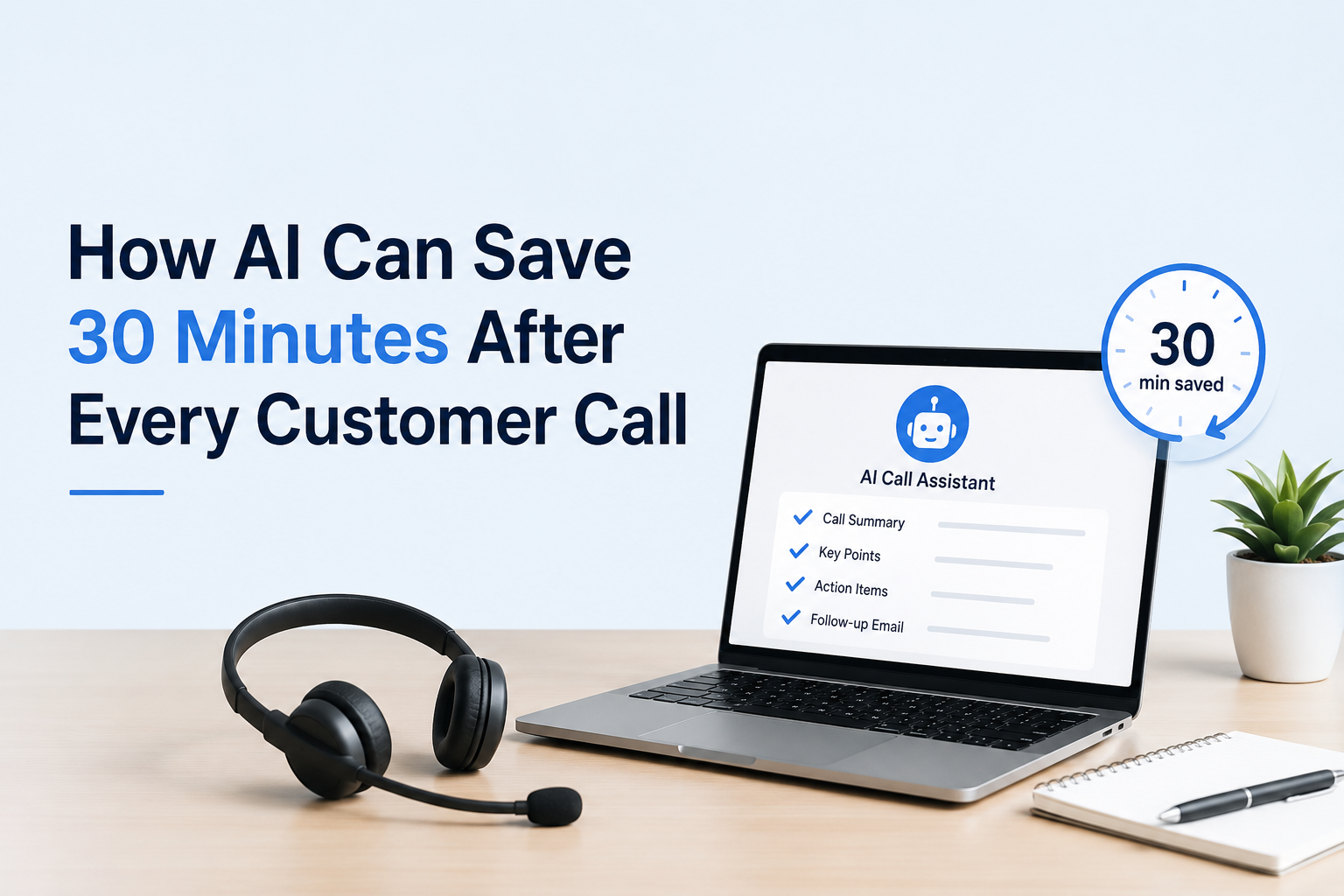
But the work after the call can take another 20 to 30 minutes.
Your team may need to write notes, update the CRM, prepare follow-ups, send emails and inform other employees.
AI-powered call automation can reduce much of this manual post-call work.
AI can analyze customer conversations, create call summaries, identify action items, suggest follow-ups, and help keep CRM records updated.
For businesses handling dozens of customer conversations every day, this can save hours of administrative work every week.
What Is Post-Call Automation?
Post-call automation means using technology to complete repetitive tasks after a customer conversation.
Instead of asking employees to manually document every call, AI can process the conversation and prepare useful information automatically.
For example, after a sales call, AI can help create:
- AI call summaries
- Customer requirements
- Follow-up tasks
- Meeting notes
- WhatsApp messages
- Email drafts
- CRM updates
- Next-action suggestions
- Customer sentiment insights
- Sales opportunity information
Your employee can then review the information instead of creating everything from scratch.
This is especially useful for sales teams, customer support teams, call centers, and service businesses.
Why Do Businesses Spend So Much Time After Customer Calls?
The customer conversation is only one part of the process.
The bigger problem often starts when the call ends.
A salesperson may need to remember everything discussed during the conversation.
Then they need to enter the information into the CRM.
After that, they may prepare a WhatsApp message or email.
They may also create a follow-up reminder for the next conversation.
A Typical 10-Minute Customer Call
Consider a simple example.
A salesperson speaks with a potential customer for 10 minutes.
After the call, the salesperson may spend:
| Post-call task | Approximate time |
|---|---|
| Writing call notes | 5 minutes |
| Updating CRM | 5 minutes |
| Preparing follow-up | 5 minutes |
| Writing email or WhatsApp message | 5 minutes |
| Creating next-action reminder | 3–5 minutes |
| Total additional work | 23–25 minutes |
The actual conversation took 10 minutes.
The complete process took around 35 minutes.
Now multiply this by 8 customer conversations per day.
That can create several hours of repetitive administrative work.
The Hidden Cost of Manual CRM Data Entry
Manual CRM updates may look like a small task.
But small tasks become expensive when repeated hundreds of times.
Salespeople may delay updating records because they are busy with their next call.
Some employees may enter only basic information.
Others may forget important customer requirements.
Over time, your CRM becomes incomplete.
This creates several problems:
- Important customer information gets lost.
- Follow-ups are delayed.
- Sales managers lack accurate information.
- Customer history becomes incomplete.
- Employees spend less time selling.
- Sales reports become less reliable.
- Managers have limited visibility into conversations.
The problem is not always the CRM.
The problem is often the manual work required to keep the CRM updated.
How Can AI Save 30 Minutes After Every Customer Call?
AI can reduce post-call work by converting conversations into structured business information.
Instead of manually writing everything, AI analyzes the conversation and prepares the information your team needs.
A typical AI-powered post-call workflow can look like this:
Customer Call → AI Call Analysis → Call Summary → Action Items → Follow-Up → CRM Update
Your employee reviews the result and moves to the next task.
This approach can reduce repetitive data entry and improve consistency.
1. AI Creates an Automatic Call Summary
An AI call summary converts a long conversation into a short and useful summary.
The summary can highlight:
- Customer requirements
- Main discussion points
- Questions asked
- Customer concerns
- Pricing discussions
- Product or service requirements
- Objections
- Agreed actions
- Follow-up requirements
- Next steps
This means employees do not need to write detailed notes while remembering the conversation later.
Example
Instead of writing:
Customer interested in CRM. Discussed sales tracking, WhatsApp integration and mobile access. Wants a demo next week.
AI can organize the information into:
Customer Requirement: CRM for sales tracking and WhatsApp communication.
Key Interest: Mobile CRM and sales automation.
Next Action: Schedule product demonstration.
Follow-Up: Contact customer next week.
The information becomes easier to understand and act on.
2. AI Identifies Customer Requirements
Customers do not always explain their requirements in a structured way.
They may discuss multiple problems during one conversation.
AI can analyze the complete conversation and identify important requirements.
For example:
A real estate customer may mention:
- Lead follow-up problems
- Missed calls
- WhatsApp communication
- Property enquiry management
- Sales team tracking
AI can identify these topics from the conversation.
This gives your sales team a clearer understanding of what the customer actually needs.
3. AI Detects Customer Objections
Customer objections can influence the outcome of a sale.
Common objections include:
- Price concerns
- Product limitations
- Implementation time
- Integration requirements
- Lack of internal resources
- Need for management approval
AI call analysis can identify these objections from customer conversations.
Sales managers can then understand where deals are getting stuck.
This information can also help businesses improve sales training.
4. AI Prepares Follow-Up Messages
Follow-up is one of the most important parts of sales.
But sales teams often delay follow-ups because they have too many tasks.
AI can prepare follow-up content based on the conversation.
For example, it can generate:
- WhatsApp follow-up messages
- Email drafts
- Customer recap messages
- Meeting summaries
- Follow-up reminders
The employee can review the message before sending it.
This saves time while keeping communication relevant to the conversation.
5. AI Helps Update the CRM
CRM data entry is one of the most repetitive tasks for sales teams.
After every call, employees may need to update:
- Lead status
- Customer requirements
- Sales stage
- Follow-up date
- Next action
- Call outcome
- Important remarks
- Opportunity details
AI can help convert conversation information into structured CRM data.
This reduces the amount of manual typing required from employees.
A better CRM record also gives managers better visibility into the sales pipeline.
6. AI Suggests the Next Best Action
Knowing what happened during a call is useful.
Knowing what to do next is even more useful.
AI can analyze the conversation and suggest possible next actions.
For example:
Customer is interested → Schedule a demo
Customer requested pricing → Send quotation
Customer needs approval → Schedule follow-up
Customer has technical questions → Arrange technical discussion
This helps sales teams move conversations forward instead of simply recording them.
7. AI Can Analyze Customer Sentiment
Customer sentiment means understanding whether the customer appears positive, neutral, frustrated, or concerned during a conversation.
AI-powered conversation analysis can help identify changes in customer sentiment.
For example, a customer may start the conversation positively but become concerned when pricing is discussed.
This can give managers additional context about the conversation.
Sentiment analysis should support human judgment rather than replace it.
What Is AI Call Analysis?
AI call analysis is the process of using artificial intelligence to examine customer conversations and identify useful information.
It can analyze conversations for:
- Customer requirements
- Objections
- Questions
- Keywords
- Action items
- Conversation summaries
- Follow-up requirements
- Sales opportunities
- Customer sentiment
For sales and support teams, this can turn conversations into structured business information.
AI Call Analysis vs Manual Call Management
| Manual Process | AI-Powered Process |
| Employee writes notes | AI creates a call summary |
| CRM updated manually | AI helps structure CRM information |
| Follow-up written from scratch | AI prepares follow-up drafts |
| Important details may be forgotten | Conversation is analyzed systematically |
| Managers depend on manual reports | Managers get structured information |
| Follow-ups may be delayed | Next actions can be identified quickly |
| Employees spend time on admin | Employees spend more time with customers |
The goal is not to remove employees from the process.
The goal is to remove unnecessary repetitive work from their day.
How Much Time Can AI Actually Save?
The exact time saved depends on your process, call volume, and level of automation.
Consider a team handling 8 customer calls per day.
If each call creates around 20 minutes of manual administrative work:
8 calls × 20 minutes = 160 minutes
That is approximately 2 hours and 40 minutes of post-call work every day.
For a team of 10 employees, the administrative workload can become significant.
AI can reduce part of this workload by automating summaries, follow-ups, action items, and CRM-related tasks.
The important point is not the exact number of minutes.
The real benefit is giving employees more time for customer-facing work.
Where Can AI Post-Call Automation Help?
AI-powered post-call automation can help businesses across many industries.
Immigration Consultants-
Consultants often discuss documentation, eligibility, deadlines, and client requirements.
AI can help summarize consultations and identify follow-up actions.
Real Estate Businesses-
Property dealers handle many enquiries every day.
AI can help capture buyer requirements, property preferences, budgets, and follow-up actions.
Manufacturing Companies-
Sales teams may discuss product specifications, quantities, delivery timelines and pricing.
AI can organize these details after customer calls.
Educational Institutes-
Admission teams handle repeated enquiries about courses, fees, eligibility, and admissions.
AI can summarize conversations and help teams manage follow-ups.
Healthcare Businesses-
Customer conversations may involve appointments, services and follow-up requirements.
AI can help organize communication records while businesses follow applicable privacy and compliance requirements.
Hotels and Travel Agencies-
Teams handle enquiries about rooms, bookings, packages, dates, and customer preferences.
AI can help convert conversations into structured follow-up tasks.
Professional Service Businesses-
Consultants and service providers often spend significant time documenting client discussions.
AI can reduce repetitive post-meeting and post-call work.
A Practical Example: Real Estate Sales Team
Imagine a property dealer in Ludhiana receives 30 enquiries in one day.
Sales executives speak with customers about:
- Property location
- Budget
- Property type
- Number of bedrooms
- Loan requirements
- Site visit
- Purchase timeline
Without automation, employees must remember and manually record these details.
With AI-powered call analysis, important information can be extracted from conversations.
The sales manager can then see:
Customer: Interested buyer
Budget: ₹50 lakh
Requirement: 3 BHK
Location: Preferred local area
Interest Level: High
Next Action: Schedule site visit
The salesperson spends less time typing and more time speaking with the customer.
How Sukam Apps Services Helps With AI-Powered Business Automation
Sukam Apps Services is an Indian business automation company helping SMEs simplify sales, customer service, and daily operations.
Its approach is practical.
The goal is not to add more software to your business.
The goal is to reduce unnecessary manual work.
Sukam Apps Services provides solutions including:
- AI-Powered CRM
- Cloud IVR
- Call Center Solutions
- AI Call Analysis and Speech Analytics
- WhatsApp Business API
- Sales and Customer Support Automation
- Tally on Cloud
- Office Process Automation
- Custom Software Development
- API Integrations
- Mobile CRM Applications
Sukam Apps CRM and AI-Powered Call Automation
Sukam Apps CRM is an AI-powered CRM platform designed for Indian businesses.
It helps businesses manage leads, sales activities, customer support, follow-ups, and business performance.
Its capabilities include:
- Lead Management
- Sales Tracking
- Opportunity Tracking
- Sales Automation
- Customer Support
- Workflow Automation
- AI Call Summary
- AI Follow-Up Suggestions
- AI Sales Insights
- AI Team Performance Analysis
- WhatsApp Integration
- Cloud Telephony Integration
- Reports and Dashboards
- Mobile CRM
- Field Tracking
- AMC Tracking
For businesses handling large numbers of customer conversations, these capabilities can reduce repetitive administrative work.
AI Apps Can Turn Conversations Into Business Insights
AI is not useful only for creating summaries.
It can also help businesses understand what is happening across their customer conversations.
For example, management can identify:
- Common customer objections
- Frequently requested features
- Sales opportunities
- Repeated customer complaints
- Team performance patterns
- Follow-up gaps
- Common reasons for lost opportunities
This is where conversation intelligence becomes useful.
Conversation intelligence means using AI to understand customer conversations and turn them into useful business insights.
Old Way vs AI-Powered Way
| Business Activity | Traditional Method | AI-Powered Method |
| Call notes | Written manually | AI-generated summary |
| Customer requirements | Remembered by employee | Extracted from conversation |
| CRM entry | Manual typing | Automated or assisted update |
| Follow-up | Created manually | AI-generated suggestion |
| Written from scratch | AI draft | |
| WhatsApp message | Manually prepared | AI-generated draft |
| Action items | Employee creates tasks | AI identifies next actions |
| Call analysis | Manager listens manually | AI analyzes conversations |
| Sales insights | Manual reporting | AI-assisted insights |
AI Does Not Replace Your Sales Team
This is an important point.
AI should not replace the relationship between your employee and the customer.
Customers still want human conversations.
They still need experienced salespeople, consultants, support executives, and managers.
AI simply handles repetitive work around those conversations.
Your employee focuses on:
Listen → Understand → Advise → Build Relationship → Close
AI focuses on:
Analyze → Summarize → Organize → Recommend → Record
That is where the real productivity improvement comes from.
How to Start With AI Call Automation
You do not need to automate everything on day one.
Start with one repetitive process.
For example:
Step 1: Identify the biggest time-consuming task
Ask your team:
“What do you spend the most time doing after every customer call?”
It may be CRM entry, call notes, follow-ups, or reporting.
Step 2: Measure the Current Time
Track how many minutes employees spend on post-call work.
This gives you a baseline.
Step 3: Automate One Task
Start with AI call summaries or follow-up generation.
Step 4: Connect the Workflow
Connect call information with your CRM and other business communication channels where appropriate.
Step 5: Measure the Result
Track:
- Time saved
- Follow-up speed
- CRM completeness
- Sales productivity
- Customer response time
This makes the value of automation easier to measure.
Frequently Asked Questions
How can AI save time after customer calls?
AI can analyze conversations, create summaries, identify action items, prepare follow-up drafts, and help update CRM records.
This reduces repetitive post-call administration.
What is an AI call summary?
An AI call summary is a short overview of a customer conversation created automatically using artificial intelligence.
It can include requirements, objections, key points, and next actions.
Can AI automatically update a CRM?
Yes, AI can help structure information from customer conversations for CRM updates.
The exact level of automation depends on the CRM and integration setup.
Can AI create WhatsApp follow-up messages?
Yes. AI can create follow-up message drafts based on the conversation.
Employees can review the message before sending it.
Can AI analyze sales calls?
Yes. AI call analysis can identify customer requirements, objections, conversation topics, action items, and other useful patterns.
What is conversation intelligence?
Conversation intelligence uses AI to analyze customer conversations and convert them into useful business information.
It can help sales and management teams understand what is happening during customer interactions.
Is AI useful for small businesses?
Yes. Small businesses can benefit from AI when employees spend significant time on repetitive work.
The best starting point is usually one clear business problem.
Can AI help improve sales follow-ups?
Yes. AI can identify follow-up requirements and prepare suggested messages or next actions.
Faster follow-up can help teams respond to customers more consistently.
Does AI replace sales employees?
No. AI is best used to reduce repetitive administrative work.
Sales employees still manage customer relationships, negotiations, decisions, and closing activities.
How does AI-powered CRM improve productivity?
An AI-powered CRM can reduce manual data entry, organize customer information, suggest next actions, and provide sales insights.
This allows employees to spend more time on customer-facing activities.
Final Thoughts: Let Your Team Focus on Customers
A customer call should create progress.
It should not create another 30 minutes of paperwork.
When employees manually write notes, update CRM records, prepare follow-ups, and create reports after every conversation, productivity suffers.
AI-powered post-call automation can reduce this repetitive workload.
It can turn customer conversations into summaries, action items, follow-ups, CRM information and business insights.
For businesses in Jalandhar, Ludhiana, Amritsar, Mohali, Chandigarh, Delhi, Gurgaon and Noida, this approach can support more efficient sales and customer service operations.
The bigger opportunity is simple:
Let your employees spend less time documenting conversations and more time having them.
How Sukam Apps Services Can Help
Sukam Apps Services helps businesses simplify daily operations through practical automation, AI, CRM, communication, and business software solutions.
Our approach starts with understanding your actual business process.
We then identify where automation can reduce manual work and improve productivity.
If your team spends too much time after every customer call, start by measuring the problem.
Then identify which tasks can be automated.
Book a 20-minute discussion with Sukam Apps Services to explore how AI-powered call analysis and CRM automation can fit your business workflow.
Work smarter. Respond faster. Grow with confidence.
Related Articles
- Unlocking Business Potential With WhatsApp API Messaging — Learn how WhatsApp Business API can improve customer communication and messaging workflows.
- Seamless Chatbot Integration With Sukam Apps CRM — Understand how chatbot and CRM integration can improve customer interaction.
- Gallabox Integration With Sukam Apps CRM — Explore WhatsApp broadcast and lead management automation.
- How to Coach Every Sales Call with AI Without Micro-Managing Your Team — Learn how connected applications can reduce repetitive business processes.